

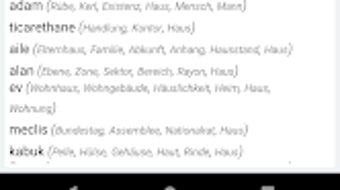
Description
Download Almanca Türkçe Çeviri – German to Turkish Translation App
Overview
Almanca Türkçe Çeviri is a mobile translation application designed for Android devices, developed by Adalsoft. Positioned within the Education & Reference category, specifically under Books, the app serves as a practical tool for translating between German and Turkish. Its primary purpose is to assist users in quickly converting text from one language to another, whether for academic, travel, or professional use. The app supports multiple input methods, including typing, voice input, and pasting text from other applications, making it adaptable to various real-world scenarios. Users can translate entire sentences or individual words, and the app provides instant results, enhancing usability in dynamic environments. It is particularly useful for language learners who need to understand German texts or for travelers navigating German-speaking regions. The developer, Adalsoft, is recognized for creating educational and reference tools for mobile platforms, suggesting a focus on functionality and accessibility. While the app is free to download and use, the exact nature of in-app features or monetization is not specified. It supports both online and offline translation modes, offering flexibility in connectivity-dependent situations.
Key Features & Capabilities
- Real-time Translation: Instantly translates German text into Turkish and vice versa, enabling fast comprehension of written content.
- Multimodal Input: Users can enter text via typing, voice input, or by copying and pasting from other apps, increasing accessibility and convenience.
- Text-to-Speech Functionality: Allows users to listen to translated text, aiding in pronunciation practice and language acquisition.
- Inter-app Translation Integration: Offers a translation option directly in the Android copy/paste menu, enabling seamless translation of text from any app without switching contexts.
- Offline Mode Support: Functions without an internet connection, allowing users to translate text in areas with limited or no connectivity.
These features collectively enhance the user experience by streamlining language conversion across different contexts. For instance, a student reading a German textbook can copy a passage and instantly translate it using the app’s integration feature. Similarly, a traveler encountering German signage can quickly understand its meaning by pasting the text into the app. The inclusion of audio output supports auditory learning, making it a valuable tool for language education. The app’s ability to operate offline ensures reliability in remote or low-connectivity environments. While detailed technical specifications regarding translation accuracy or database size are not provided, the functionality described aligns with standard mobile translation tools. The developer has prioritized ease of use and practicality, targeting users who need dependable, on-demand translation between German and Turkish.
User Interface, Workflow & Performance
The user interface of Almanca Türkçe Çeviri appears to be designed with simplicity and efficiency in mind. The layout likely features a clean input field for text entry, a clear output area for translations, and intuitive controls for voice input and audio playback. Navigation between translation modes and settings is expected to be straightforward, minimizing user friction. The workflow follows a linear path: input text → select language direction → receive translation → listen to audio (if desired). This streamlined process supports rapid usage, especially in time-sensitive situations. The app integrates with the Android system’s copy/paste menu, which suggests a well-structured interaction with the operating system. Performance details, such as response time, CPU usage, or memory consumption, were not specified by the developer. However, based on general behavior of similar mobile translation tools, the app likely maintains low resource usage during operation. Stability and crash reports are not publicly available, and no information was provided about update frequency or background processes. The developer did not specify whether the app runs efficiently on older Android devices or low-end hardware.
Compatibility & System Requirements
Almanca Türkçe Çeviri is designed for Android devices and is available on the Google Play Store. The specific version number and minimum OS requirements were not provided. The app’s installation size is not disclosed, which may affect users with limited storage space. Platform compatibility information is limited to Android, with no indication of support for iOS, Windows, or other operating systems. The developer did not list exact system requirements, such as RAM, processor speed, or Android API level. It is known that the app supports both online and offline translation, suggesting it may store some language data locally. However, the size of this data and its impact on device storage are not specified. The app’s ability to integrate with the Android copy/paste menu indicates compatibility with standard Android system features. Users are advised to check the Google Play Store listing for updated compatibility details, as requirements may vary across device models and Android versions.
Pros and Cons
Pros
- Free to download and use, making it accessible to a wide audience.
- Supports both online and offline translation, enhancing usability in diverse environments.
- Offers multiple input methods, including typing, voice, and copy/paste integration.
- Includes text-to-speech for pronunciation learning and language practice.
- Seamless integration with the Android system’s copy/paste menu for quick translations.
Cons
- Exact system requirements and file size were not provided by the developer.
- No information was given about translation accuracy or language coverage beyond German and Turkish.
- Performance metrics such as response time or resource usage were not disclosed.
- Only available on Android, limiting cross-platform access.
- Developer details beyond the name Adalsoft were not included.
FAQ Section
Is Almanca Türkçe Çeviri available for iOS devices?
The app is currently available only on Android. There is no information indicating support for iOS platforms.
Can I use Almanca Türkçe Çeviri without an internet connection?
Yes, the app supports offline translation, allowing users to translate text without requiring an internet connection.
Does the app include voice input and output features?
Yes, users can input text via voice and listen to translated text using the app’s text-to-speech functionality.
How often is the app updated?
The update frequency is not specified by the developer. Users should check the Google Play Store for the latest version.
Is Almanca Türkçe Çeviri secure to use?
As a free app from the Google Play Store, it is subject to platform security checks. However, specific security protocols or data handling practices were not disclosed.
Final Thoughts
Almanca Türkçe Çeviri stands out as a focused and practical tool for users needing reliable translation between German and Turkish. Its integration with Android’s copy/paste system, combined with offline functionality and voice support, makes it highly convenient for students, travelers, and professionals. The app’s simplicity and lack of cost further enhance its appeal. While detailed technical and performance data are not available, the core features align with user expectations for a modern translation utility. For those seeking a straightforward, no-frills solution for German-Turkish translation on Android, this app delivers on its primary promise. It is especially valuable in scenarios where speed, accessibility, and offline use are critical. Download Almanca Türkçe Çeviri now to experience efficient, on-the-go language support.
Guides & Tutorials for Almanca Türkçe Çeviri APK
How to install Almanca Türkçe Çeviri APK
- Click the Preview / Download button above.
- Once redirected, accept the terms and click Install.
- Wait for the Almanca Türkçe Çeviri APK download to finish on your device.
How to use Almanca Türkçe Çeviri APK
This software is primarily used for its core features described above. Open the app after installation to explore its capabilities.
User Reviews for Almanca Türkçe Çeviri APK 0
No reviews found





